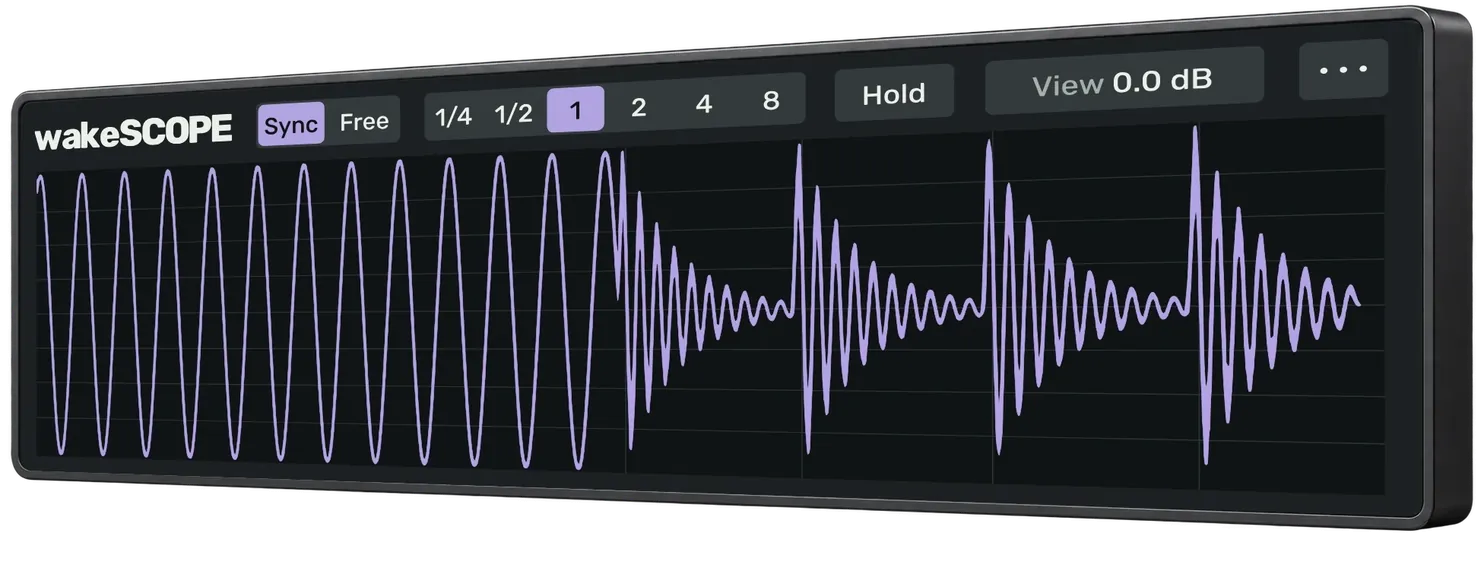
wakeSCOPE
Look closer. Free oscilloscope.
Shows the attacks, gaps and peaks of any track in Live.
Max for Live
Features
Drop it on any track, group or the Main track and see attacks, gaps and peaks. Pick one of four themes: Dusk, Frost, Sage or Follow Live.
Sync
Follows the tempo in Live, from 1/4 bar to 8 bars. Free keeps running when Live is stopped.
Hold · Freeze
Hold keeps the last wave under the live one. Freeze stops the picture.
Measure
Hover to see the peak level. Cmd/Ctrl-drag to read duration, Peak, RMS and Crest.
Pass-through
Your sound passes through untouched, so you can leave it on the Main track while you mix.
Download
Free. The same device works on macOS and Windows.
| System | What you get | Needs | Download |
|---|---|---|---|
| Max for Live | One device for macOS and Windows | Ableton Live 11+ with Max for Live | Download |
Changelog
What changed in each version, newest first.
1.0.012 October 2026
- First public release.
- Sync follows the tempo of Live and shows from 1/4 to 8 bars. Free keeps drawing when the transport is stopped.
- Source sets what you see: Peak, Mid, Side, Left or Right.
- Hold keeps a grey copy of the waveform under the live one, so you can compare before and after.
- Freeze stops the picture so you can study an attack. Click Frozen to go on.
- Zoom and pan with the trackpad. Double-click the graph to open a large window.
- Hover to see the peak level. Cmd/Ctrl-drag to read duration, Peak, RMS and Crest.
- View makes the waveform bigger or smaller and does not change the sound or the readings.
- Four themes: Dusk, Frost, Sage and Follow Live.
- Your sound passes through untouched.
- Click the wakeSCOPE logo to see the version and a link to the wakelab site.
- One device for macOS and Windows.